Now Live: Custom Domain Support for All Marketplace Sellers
Your brand deserves its own home. We’ve launched full custom domain support, allowing you to connect your own .com, .co.za, or any other extension directly to your Pryseflow webstore with automated SSL and global edge delivery.
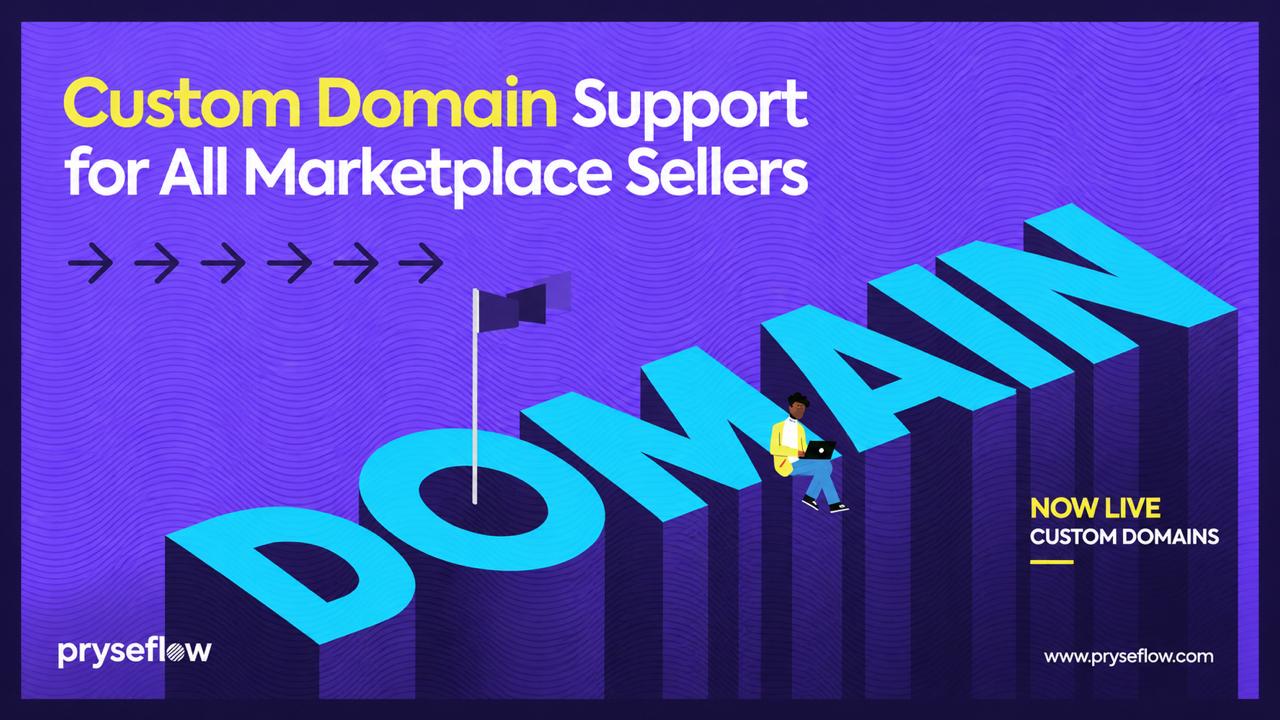
The digital landscape of 2026 is more competitive than ever. For a small business or a growing brand, your online identity isn’t just a convenience—it’s your most valuable asset.
Today, we are incredibly proud to announce the launch of Custom Domain Support for every seller on the Pryseflow Marketplace. This feature allows you to move beyond the brand.pryseflow.com subdomain and establish a truly independent, professional presence at www.yourbrand.com.
The Evolution of Your Brand Identity
When you first start selling on Pryseflow, we provide you with a free subdomain. It’s a great way to get up and running in minutes. However, as your business matures, you need a "home" that you fully own. A custom domain is the digital equivalent of moving from a shared market stall to your own flagship store on the high street.
In this deep dive, we’ll explore why this update is a game-changer for your business, the technical magic happening behind the scenes, and a step-by-step guide to getting your domain live today.
Why a Custom Domain is Non-Negotiable in 2026
1. Instant Trust and Credibility
In an era of deepfakes and fly-by-night operations, trust is the primary currency of commerce. When a customer sees a custom domain, it signals that you are a legitimate, registered business invested in its long-term future. It removes a layer of "platform dependence" in the customer's mind, making them feel more secure when entering their credit card details.
2. SEO and Brand Authority
Search engines like Google and Bing treat root domains differently than subdomains. By having your own domain, you are building Domain Authority for your own brand, not just for Pryseflow. Every backlink you earn, every social share, and every visitor helps your URL rank higher in search results. Over time, this creates a "moat" around your business that is difficult for competitors to cross.
3. Memorability and Word-of-Mouth
Marketing is about reducing friction. "Check out my store at lunas-ceramics.com" is significantly easier to remember and share than a long subdomain string. In the world of social selling—especially on WhatsApp and Instagram—a short, punchy domain is the difference between a click and a scroll-by.
The Technical Powerhouse Behind Pryseflow Domains
We didn’t just want to "allow" custom domains; we wanted to provide the best hosting infrastructure in the industry. When you connect a domain to Pryseflow, you aren’t just pointing a link—you’re plugging into a global delivery network.
Automated SSL (HTTPS) by Default
Security is not an option. Every custom domain connected to Pryseflow receives an automated SSL Certificate via Let’s Encrypt. We handle the issuance, the installation, and the renewals. Your customers will always see the "padlock" icon, ensuring their data is encrypted from their browser to our servers.
Global Edge Delivery
Speed is a ranking factor. We use a distributed network of edge servers to serve your webstore. This means that whether your customer is in Cape Town, London, or New York, your images and product data load from a server physically close to them. This reduces latency and improves your conversion rates.
DDoS Protection and Resilience
Your store needs to stay online, no matter what. Our infrastructure includes enterprise-grade DDoS protection, shielding your custom domain from malicious traffic and ensuring that real customers can always reach you.
Step-by-Step: How to Connect Your Domain
We’ve simplified the technical "headache" of DNS management into a guided 3-step process.
Step 1: Purchase Your Domain
If you don’t already own a domain, you can purchase one from any reputable registrar. Popular choices in South Africa include Afrihost and 1-grid, while international sellers often use Namecheap or Google Domains. (Remember: Annual Pryseflow subscribers get their first year of domain registration for free!)
Step 2: Configure Your DNS Records
This is where the magic happens. You need to tell your registrar to send traffic to Pryseflow. Log in to your registrar's control panel and find the "DNS Management" section. You will need to add two records:
// Record 1: The WWW CNAME
Type: CNAME | Name: www | Value: sites.pryseflow.com
// Record 2: The Root A Record
Type: A | Name: @ | Value: [Our Dedicated IP Address]
Step 3: Verify in the Pryseflow Dashboard
Once you’ve updated your DNS, go to Settings > Storefront > Custom Domain in your Pryseflow dashboard. Enter your domain name and click Verify Connection. Our system will check the records globally. Note that DNS propagation can take anywhere from 1 to 24 hours, though it usually happens much faster.
Advanced Strategy: Maximizing Your New Domain
Now that your domain is live, how do you make the most of it?
Email Forwarding
Most registrars allow you to set up free email forwarding. You can create hello@yourbrand.com and have it forward directly to your personal Gmail or Outlook. This completes the professional image without the cost of a full Google Workspace subscription.
The "Canonical" Switch
Once your custom domain is verified, Pryseflow automatically sets it as the Canonical URL. This tells search engines that www.yourbrand.com is the "master" version of your store, preventing any duplicate content issues with your old subdomain.
Social Media Integration
Update your "Link in Bio" on Instagram and TikTok. Update your WhatsApp Business profile. Having a clean, branded link significantly improves the click-through rate from your social channels.
Common Questions (FAQ)
Will my old subdomain still work?
Yes! We automatically set up a 301 redirect. Anyone visiting your old brand.pryseflow.com link will be seamlessly redirected to your new custom domain, preserving your SEO value and ensuring no customers are lost.
Do I have to pay extra for SSL?
No. SSL certificates are included for free on all Pryseflow plans. We believe a secure web is a better web for everyone.
Can I use a .co.za or .africa domain?
Absolutely. Pryseflow supports all top-level domains (TLDs). Whether you want a local .co.za or a creative .shop or .store, the connection process is exactly the same.
What happens if I cancel my subscription?
You own your domain. If you ever decide to leave Pryseflow, you simply update your DNS records to point elsewhere. We never "lock" your domain to our platform.
Conclusion: Your Brand, Your Rules
The launch of Custom Domain Support is more than just a technical update; it’s a commitment to our mission of empowering independent sellers. We want to provide you with the tools to build a brand that can compete with the giants of retail, while maintaining the agility and personality of a small business.
Your domain is your flag in the digital sand. It’s time to fly it high.
A business without a custom domain is just a guest on the internet. A business with its own domain is a resident.
Ready to make the switch? Head to your dashboard now and follow the setup guide. If you need any help, our support team is standing by to assist with your DNS configuration.
This is a how-to, not a product page. The matching product page is seller marketplace.